Loading...
Simple CRM features for service businesses
The tools a service business actually uses — customers, appointments, follow-ups and a pipeline — and nothing you have to set up first.
How it works
Watch a new business go from an empty dashboard to its first invoice, in about a minute.
Every day
Dashboard
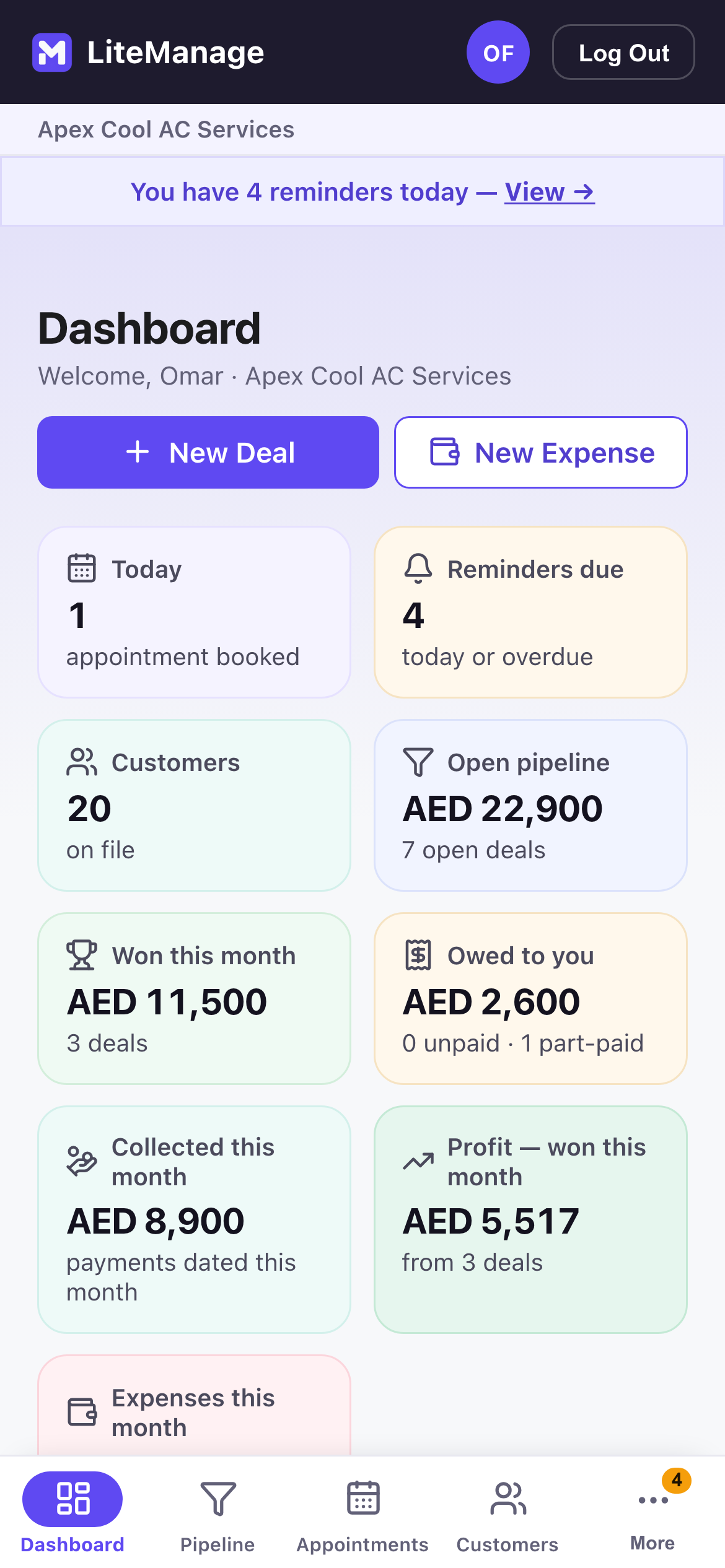
Your day at a glance the moment you log in: today’s appointments, reminders due, your open pipeline, and what you’ve won, are owed and have collected this month.
Customers
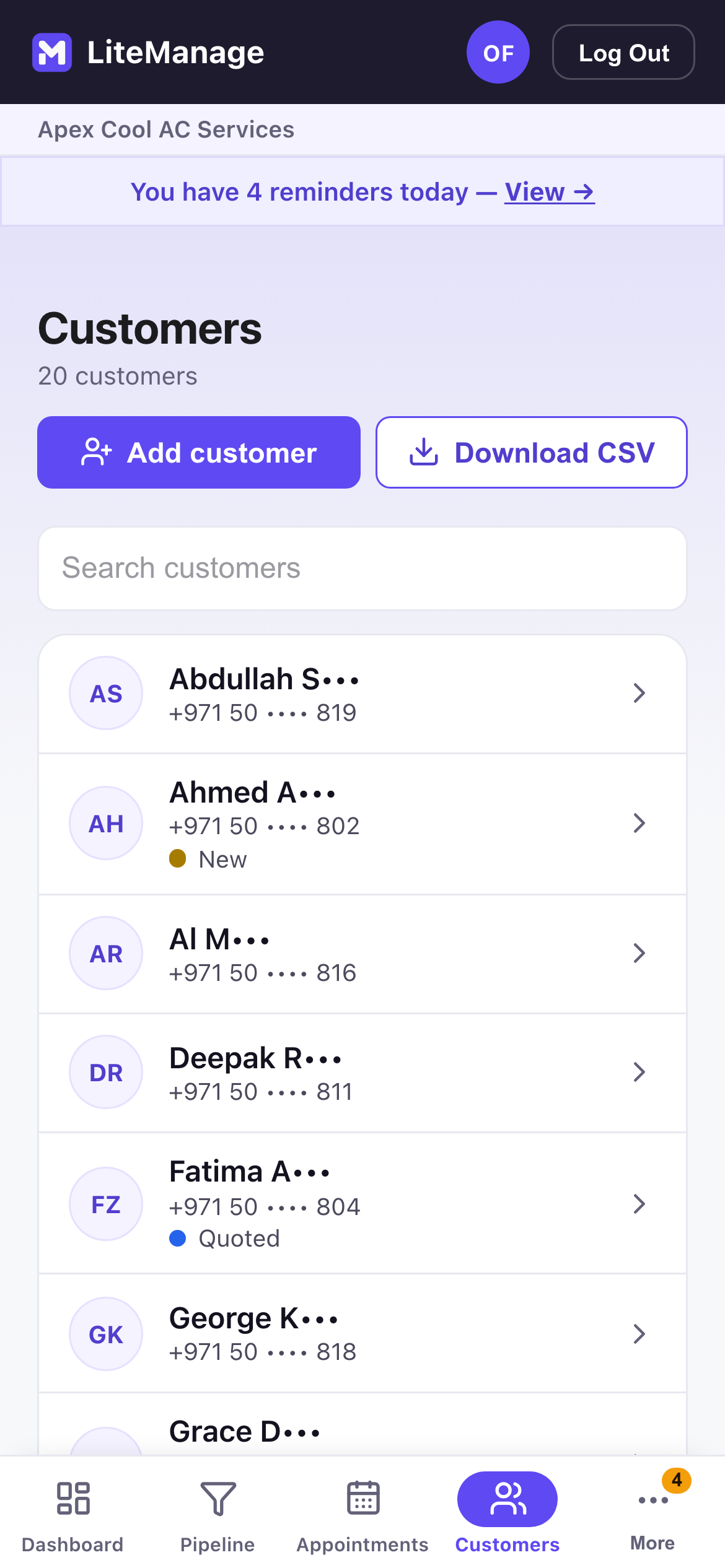
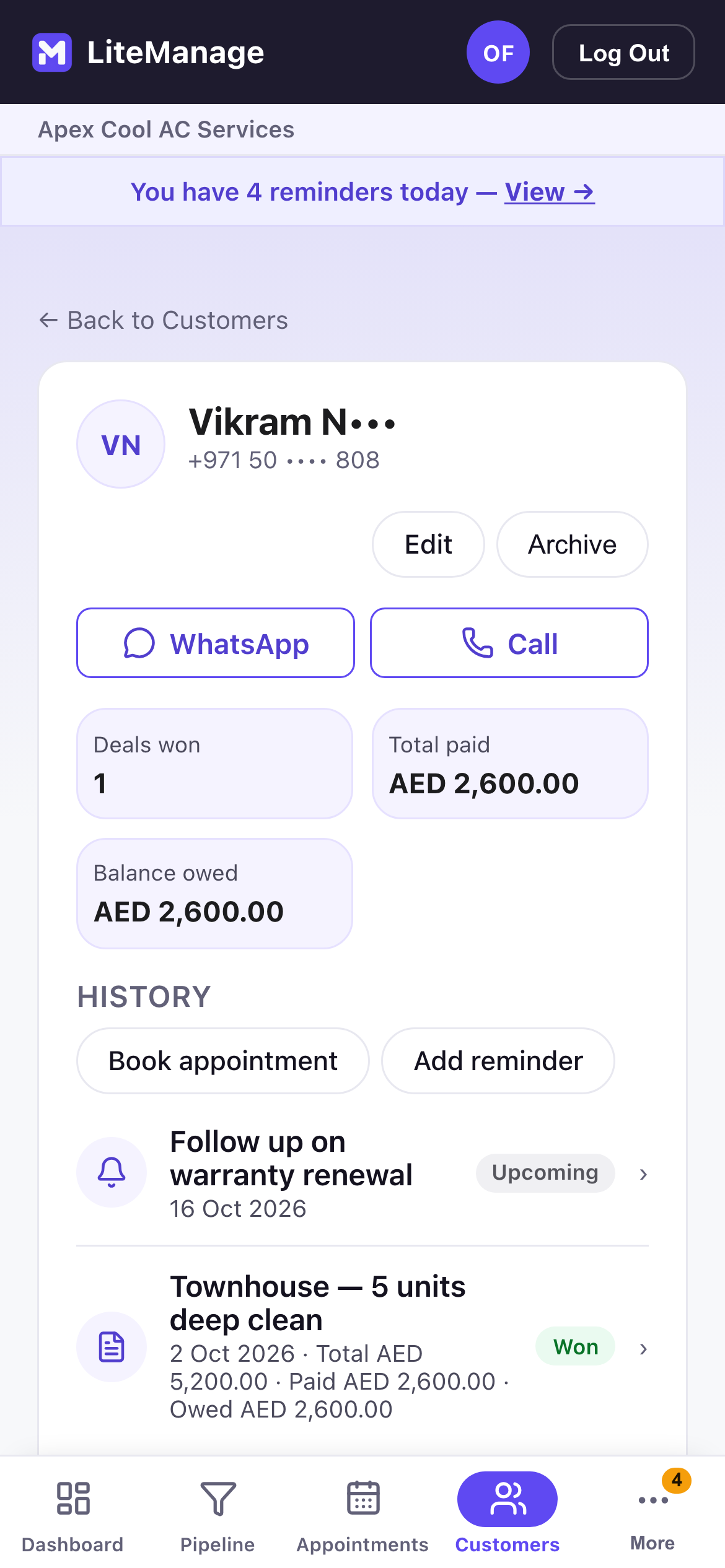
One record per customer: company details, their deals with what’s paid and owed, appointments and reminders, your private notes, and one tap to call, WhatsApp or email them.
Appointments
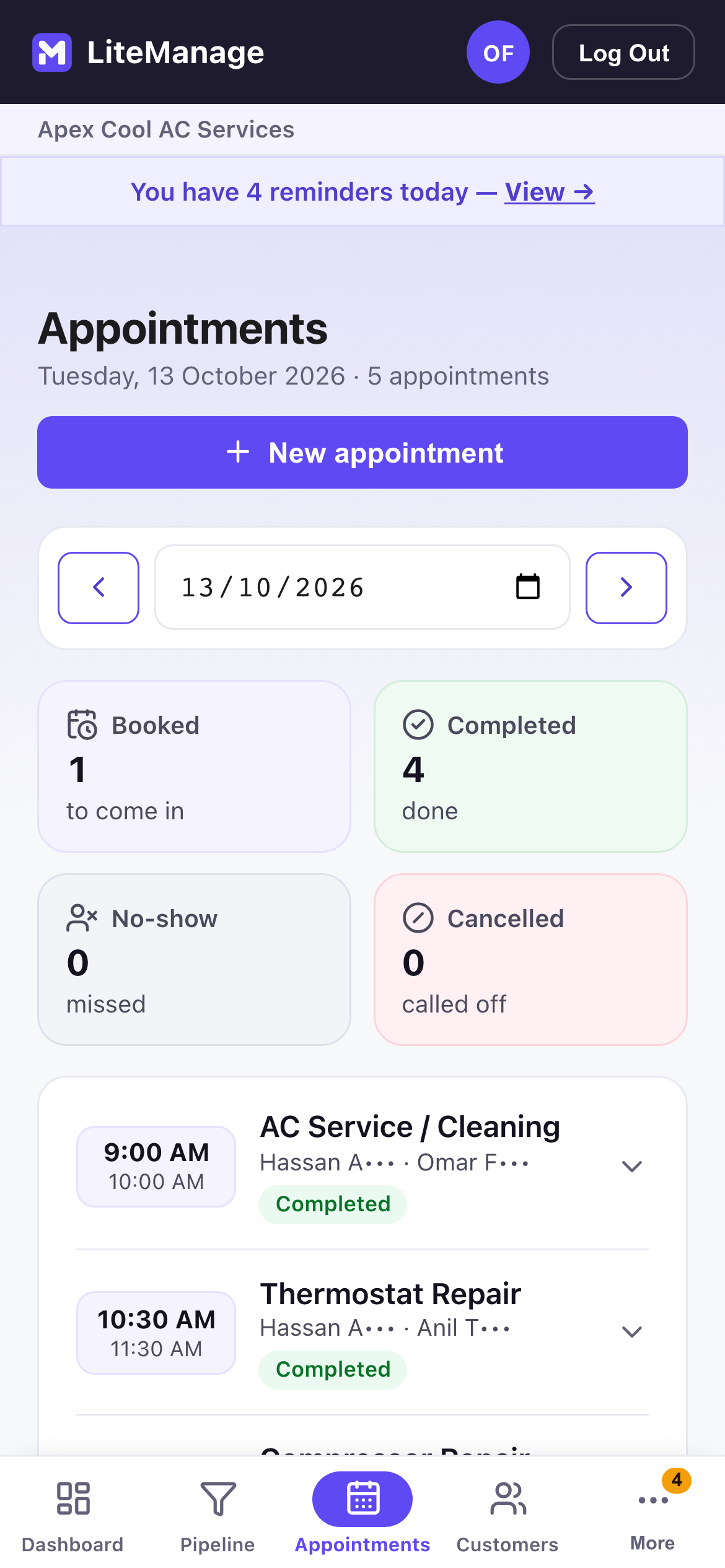
Book by staff member and time, with a warning when someone is already booked. Mark visits completed, cancelled or no-show; WhatsApp reminders go out automatically.
Reminders
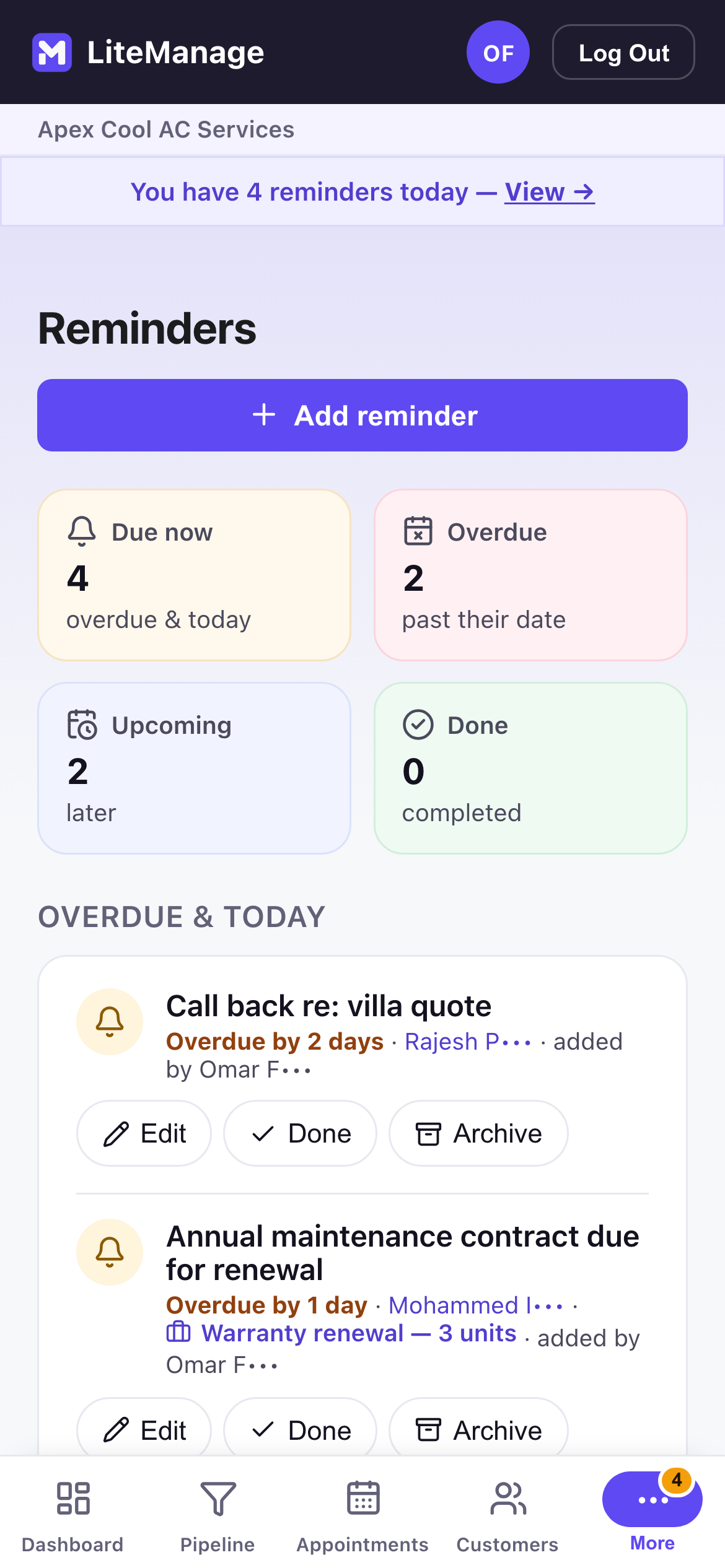
Follow-up reminders tied to a customer or a deal, so nothing falls through the cracks.
Manage Services
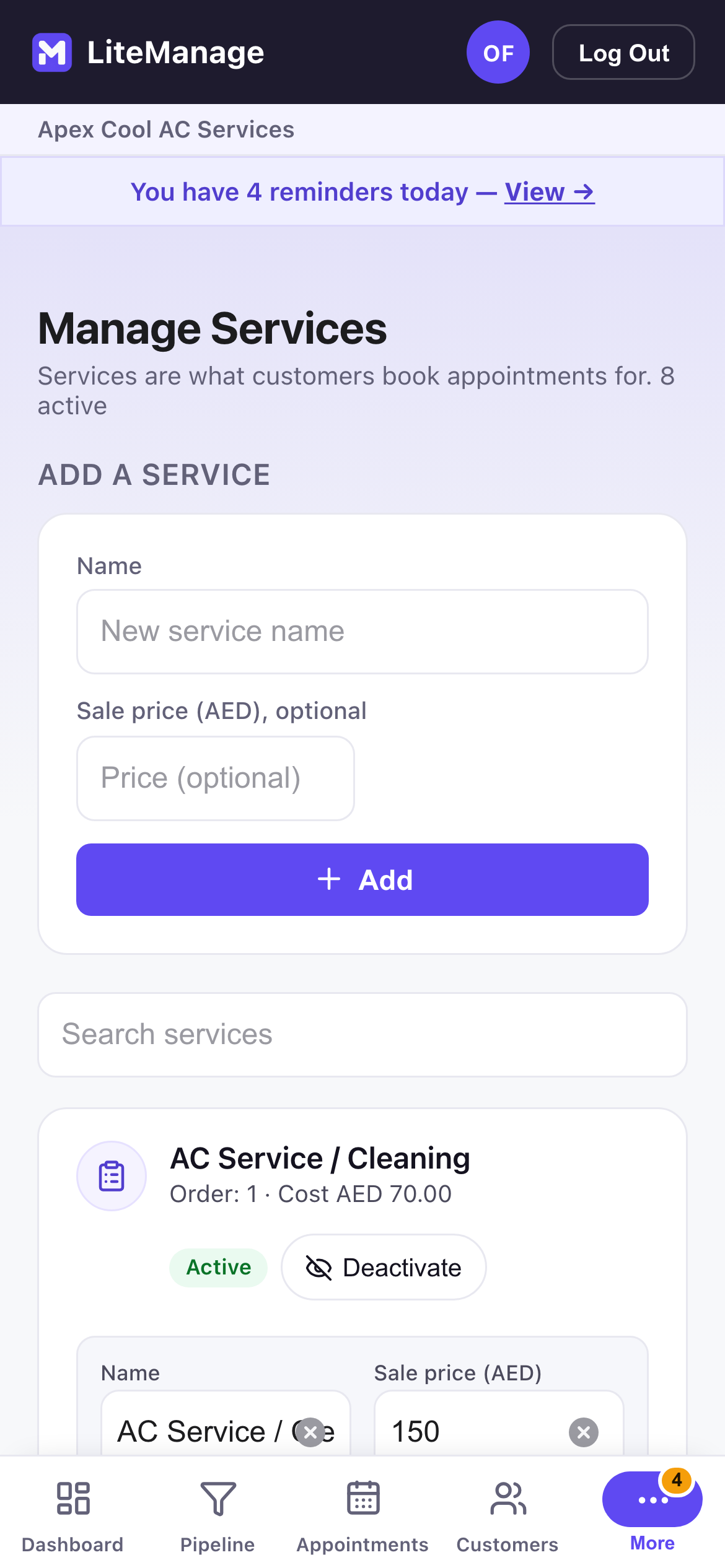
The services you offer, their prices, and how long each one takes.
Manage Products
Stock levels and prices for what you sell. Stock goes down when a deal is won, you can restock or correct it, and you’re told when it runs low.
Manage Staff
Add staff as owner, supervisor or staff, and invite them to log in with their own phone number.
Suppliers
Contact details, website and social links, one tap to WhatsApp or call, their TRN or tax number when you’re VAT or tax registered, and your own private note.
Expenses
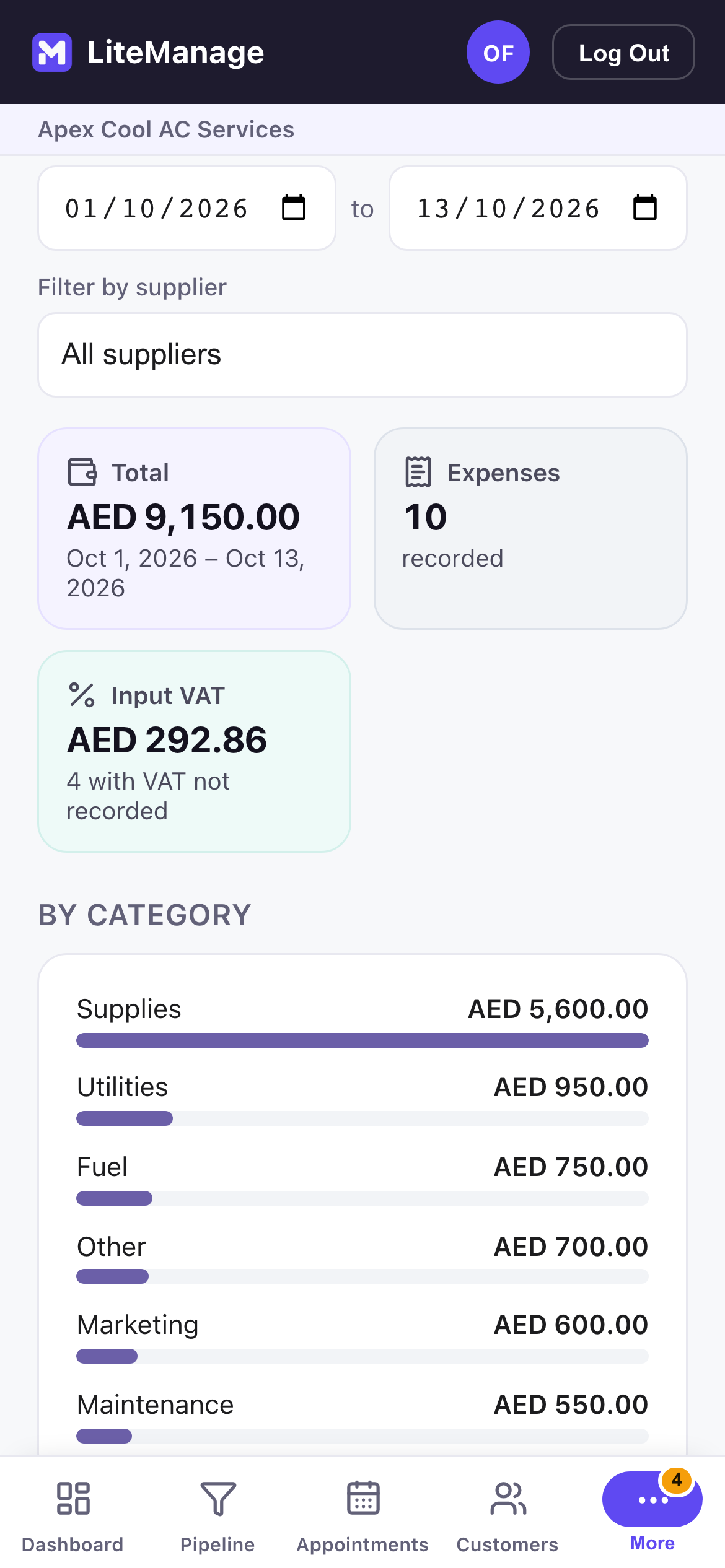
Log what you spend, categorized and dated, so your outgoings are on record alongside your income.
Activity Log
A record of who changed what — for the owner’s own oversight, not visible to staff.
Quotes, invoices & money
PDF quotes
Turn a deal into a quote with line items, discount, a valid-until date and payment terms — your logo and address on it.
Tax invoices
Issue a numbered tax invoice with your TRN and VAT, or your tax number and tax in other currencies (included or added on top), and share it as a PDF or on WhatsApp. Cancel one with a reason if you need to; its number stays on record.
Payment tracking
Record part payments by cash, card, bank transfer, Ziina, cheque or other, and send the customer a payment request on WhatsApp, or a link to pay online through your own Ziina or Stripe account. Every deal shows what’s paid and what’s still owed.
Costs & profit
Give your services and products a cost and see the profit on every deal, plus this month’s profit from won deals on your dashboard. Costs and profit are for the owner’s eyes only.
Purchases & stock
Log a purchase line by line: stock goes up, the product’s cost updates, and the VAT or tax and supplier TRN or tax number are kept.
Cashbook
The owner’s money in, by payment method, and money out, with cash profit and a VAT or tax summary for the period.
CSV export
Download your customers, deals, expenses and cashbook as CSV files whenever you need them.
See quotes and invoices in detail · LiteManage for cleaning businesses
And for growing the business
Pipeline
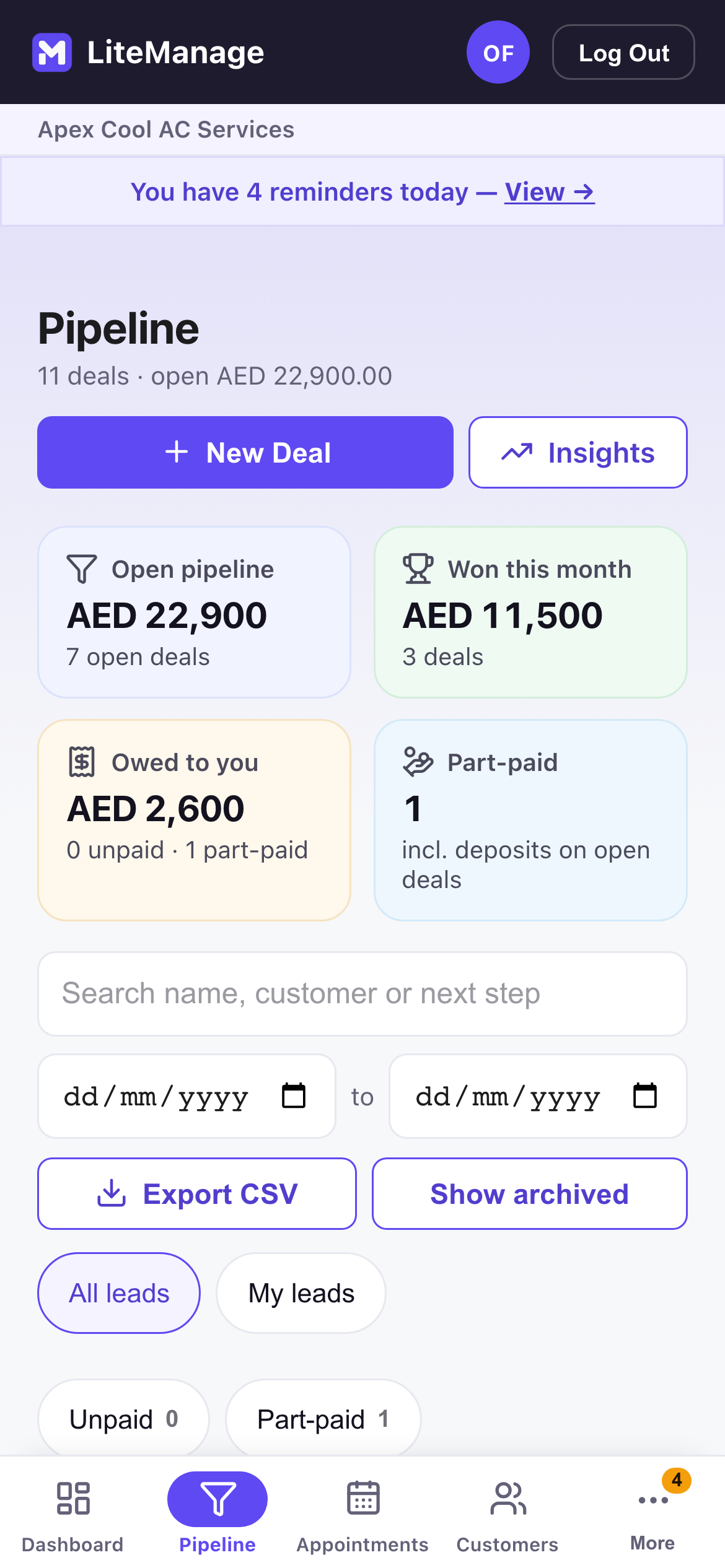
Track a deal from first quote to close: fixed stages, leads assigned to your team, payment status, and an appointment or reminder booked straight from the deal.
Insights
A few charts showing how your pipeline is trending — deals per month, where they’re stuck, and your win rate.
Subscription billing
A monthly package by the number of users who sign in — Solo, Team or Business, plus extra users if you need them. Outsourced staff are free (up to 10). No token counting.
Multi-branch Admin
See several businesses together on one plan, with a read-only look into each branch’s appointments, services, staff and suppliers, once its owner approves.
Your currency
Show amounts in your own currency: AED, USD, GBP, EUR, INR, SAR and more.
Your numbering
Quotes and invoices are numbered for you, and the owner can set the next number to carry on from an old system.
Account recovery
Add a backup email, so you can get back in if you ever lose access to your phone number.
On a computer too
On a laptop or desktop, LiteManage opens into a full workspace with a sidebar, tables and side panels.
Booking link
Share your own page, litemanage.app/book/your-business, where customers can ask for an appointment or send you a question without signing in. You confirm or decline each request in Appointments, and questions arrive as new deals.
Who sees what
Give each person the access their job needs. Here is what each role can see and do.
| Owner | Supervisor | Staff | |
|---|---|---|---|
| Customers, appointments, reminders and suppliers | ✓ | ✓ | ✓ |
| Leads in the pipeline | All, and assigns them | All, and assigns them | Their own |
| Services, products and stock | ✓ | Yes, without cost prices | — |
| Record expenses | ✓ | ✓ | — |
| Archive deals | ✓ | ✓ | — |
| Archive customers, appointments, reminders and expenses | ✓ | — | — |
| Costs and profit | ✓ | — | — |
| Issue tax invoices | ✓ | — | — |
| Cashbook and VAT or tax summary | ✓ | — | — |
| Staff and their access | ✓ | — | — |
| Billing, activity log and business settings | ✓ | — | — |
Private notes are private: each person sees only their own notes, the owner included.
Everyone gets notifications for their own work; money and account notices go to the owner.
A look inside
The screens you’ll use every day.
Built small on purpose
Most business software is built for companies with an IT team. LiteManage is built for the owner.
| Typical business software | LiteManage | |
|---|---|---|
| Getting started | Demo call, onboarding, training | Sign up with your WhatsApp number. Your first customer in minutes. |
| Pricing | Monthly plans, tiers, add-ons | From AED 29/month, by the number of users. 14-day free trial, no card. |
| Users | Charged per user, often with a minimum | Packages for 1, 3 or 10 users, extra users AED 19 each, outsourced staff free (up to 10). |
| Hardware | Tills, terminals, printers | The phone you already have. |
| Contracts | Annual terms, cancellation steps | None. Cancel any time; your plan runs to the end of the period you paid for. |
| Features | Hundreds, and most go unused | Only what a small service business needs every day. |
| Your data | Often hard to get out | Export customers, deals, expenses and the cashbook to CSV any time. |
What we deliberately left out: marketing automation, loyalty schemes, payroll, full accounting and custom report builders. If you need those, a bigger tool is the right choice.
Compared with typical lightweight CRMs
Lightweight CRMs usually centre on contacts and a sales pipeline. LiteManage has those too, plus the day-to-day money and operations of a service business, in the same app:
- Quotes and numbered tax invoices with your TRN and VAT, or your tax number and tax in other currencies, shared as a PDF or on WhatsApp
- Part payments by method, what’s owed, payment requests on WhatsApp, and links to pay online through your own Ziina or Stripe account
- Appointments by staff and time, with automatic WhatsApp reminders
- Purchases and expenses with VAT or tax that add stock and update your costs
- A cashbook with a VAT or tax summary, for the owner
- Owner, supervisor and staff roles, with costs and profit kept to the owner
- Every package includes all of it; outsourced staff are free (up to 10)
You decide what we build next
A person reads every request. We can’t promise to build them all, but nothing is discarded unread.
Ask from inside the app
Open Request a feature from the menu. Say what you want to be able to do, and how you manage it today. Anyone on your team can send one.
Follow it
Your requests stay listed with their status: New, Reviewing, Planned, Shipped or Declined. You can withdraw one until we start looking at it.
Something not working?
Report a problem sends the screen you were on, your device and browser, and the app version along with your note, so we can fix it faster.
 A till on your phone for businesses that take payment on the spot. Pay per sale.
Explore LiteLab Studio
LiteRegister and LiteManage are made by LiteLab Studio — a studio building simple, focused apps for small businesses. Each app does one job well, without the bloat, the setup calls or the training.
- LiteRegister →
- LiteManage (you’re here)
- Visit litelab.io →